实战教程
本文档将给出一些详尽的示例教程。
如需了解创建应用、读写数据等基础操作,请参考文档 快速入门。
本教程以弹幕为例,讲解如何通过 Wilddog Sync 实现多端实时互动。百余行代码即可完全实现该功能,可见 Sync 的简单与强大。
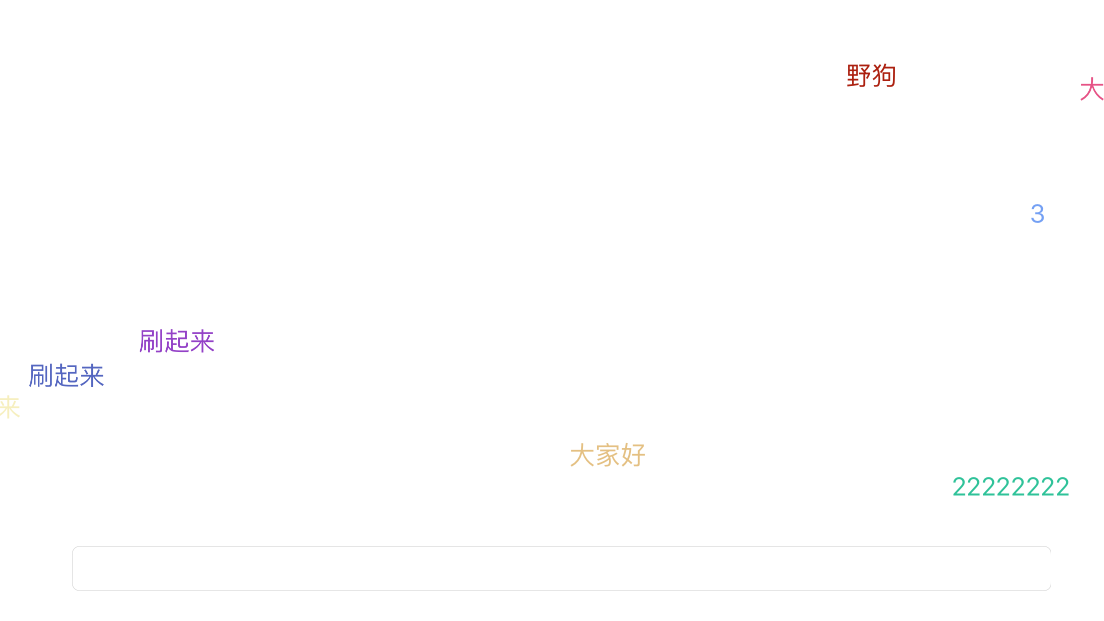
示例的最终的展示效果如下:
1. 安装 SDK
Section titled “1. 安装 SDK”SDK 的安装方式有两种,你可以任选其一
- 使用 CocoaPods
要将 Wilddog SDK 导入到你的工程中,推荐使用 CocoaPods,如果没用过 CocoaPods,请先访问 CocoaPods getting started。
打开工程目录,新建一个 Podfile 文件
$ cd your-project-directory$ pod init$ open -a Xcode Podfile # opens your Podfile in XCode然后在 Podfile 文件中添加以下语句
pod 'Wilddog'最后安装 SDK
$ pod install$ open your-project.xcworkspace2. 初始化
Section titled “2. 初始化”//初始化 WDGApp,建议自己创建一个应用,把 danmu 换成你自己的 SyncAppIDWDGOptions *option = [[WDGOptions allosc] initWithSyncURL:@"https://danmu.wilddogio.com"];[WDGApp configureWithOptions:option];
// 创建 WDGSyncReference 实例。_wilddog = [[WDGSync sync] referenceWithPath:@"message"];3. 发送弹幕
Section titled “3. 发送弹幕”使用写入数据的 API childByAutoId,它用来在当前节点下生成随机子节点,以保证 key 的不重复和有序。
// 获取输入框的数据,将数据写入到云端 message 节点下,`childByAutoId` 将生成子节点的唯一 key- (BOOL)textFieldShouldReturn:(UITextField*)aTextField{    [[self.wilddog childByAutoId] setValue:aTextField.text];
    [aTextField setText:@""];
    return NO;}
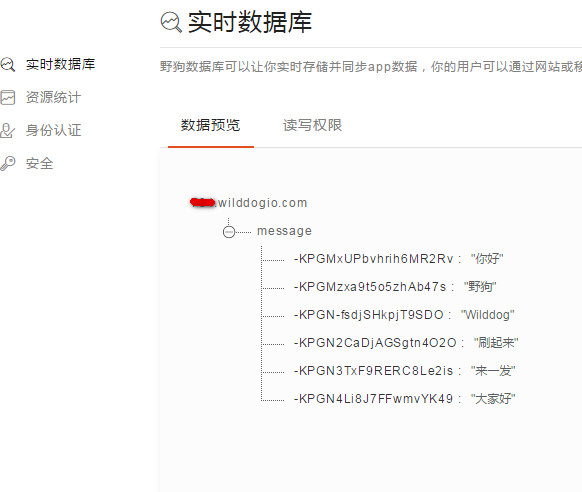
数据库中的数据结构如下图所示:
4. 设置监听
Section titled “4. 设置监听”- (void)viewDidLoad{ [super viewDidLoad];
//初始化 WDGApp WDGOptions *option = [[WDGOptions alloc] initWithSyncURL:kWilddogUrl]; [WDGApp configureWithOptions:option]; //获取一个指向根节点的 WDGSyncReference 实例 _wilddog = [[WDGSync sync] reference];
_snaps = [[NSMutableArray alloc] init]; _originFrame = self.view.frame;
// 设置监听 // 绑定 WEventTypeChildAdded 事件,当 message 节点下有子节点新增时,就会触发回调,回调的 snapshot 对象包含了新增的数据 [self.wilddog observeEventType:WDGDataEventTypeChildAdded withBlock:^(WDGDataSnapshot *snapshot) {
[self sendLabel:snapshot]; [self.snaps addObject:snapshot];
}];
//添加定时器 [NSTimer scheduledTimerWithTimeInterval:.5 target:self selector:@selector(timer) userInfo:nil repeats:YES];}5. 取数据
Section titled “5. 取数据”//随机取出弹幕数据- (void)timer{ if (_snaps.count < 2) { return; } int index = arc4random()%(self.snaps.count-1); WDGDataSnapshot *snapshot = [self.snaps objectAtIndex:index]; [self sendLabel:snapshot];}6. 在屏幕显示
Section titled “6. 在屏幕显示”WDataSnapshot 是 Sync 的一个快照,包含着正在监听的节点下,从云端取下来的数据。
//设置随机颜色,并显示在屏幕上- (UILabel *)sendLabel:(WDGDataSnapshot *)snapshot{ float top = (arc4random()% (int)self.view.frame.size.height)-100; UILabel *label = [[UILabel alloc] initWithFrame:CGRectMake(self.view.frame.size.width, top, 100, 30)]; label.textColor = [UIColor colorWithRed:arc4random()%255/255.f green:arc4random()%255/255.f blue:arc4random()%255/255.f alpha:1]; label.text = snapshot.value; [UIView animateWithDuration:7 animations:^{ label.frame = CGRectMake(-label.frame.size.width, top, 100, 30); }completion:^(BOOL finished){ [label removeFromSuperview]; }]; [self.view addSubview:label]; return label;}获取示例源码
Section titled “获取示例源码”点此获取完整的示例源码。